


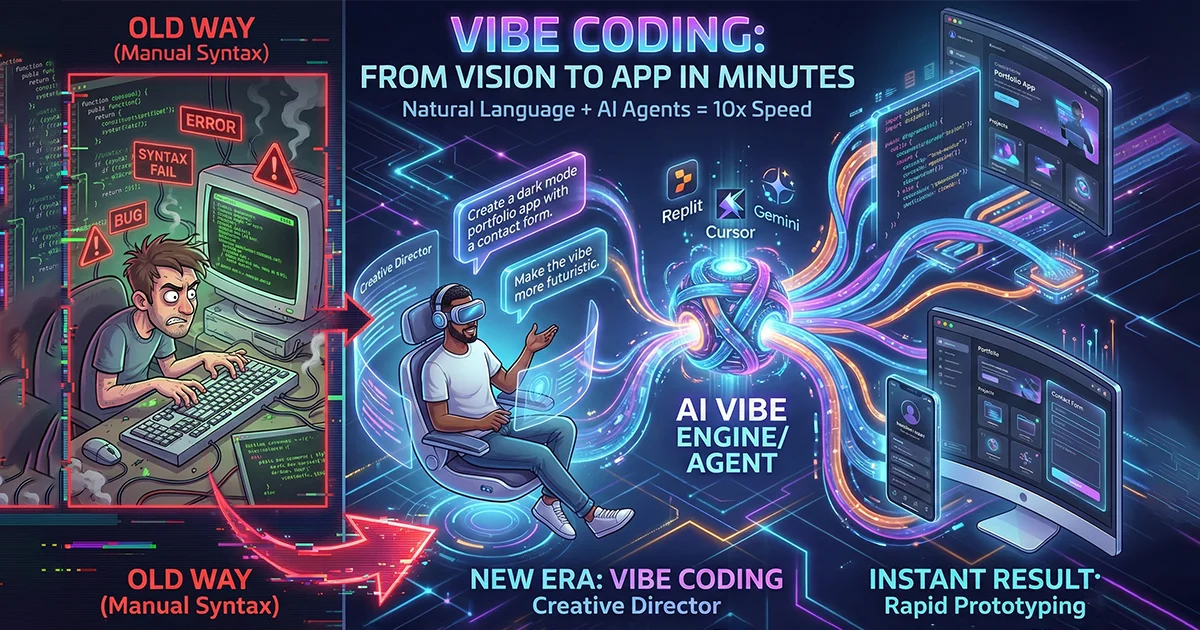
AI coding tools have moved from autocomplete to something closer to a junior colleague: they can read a project, plan a change across many files, run the tests and fix their own mistakes. That is what made "vibe coding", building software by describing it in plain language, possible for so many people.
There are now dozens of these tools, and they are not interchangeable. This guide sorts the main ones by what they are actually good at, so you can pick the right one for the job in front of you.
Two families of tools
Almost every vibe coding tool falls into one of two groups, and knowing which you need saves a lot of frustration.
Browser app builders
You describe the app in a chat window and get a running version with a preview link, often with a database and hosting set up for you. No installation and no terminal. The trade-off is less control over how the code is organised and where it runs.
AI editors and coding agents
These work on code on your own machine or repository. They understand the whole project, make multi-file changes, run commands and show you a diff to approve. They assume you, or someone on your team, can read code.
The main tools compared
Cursor
A code editor built around AI, based on VS Code, so existing extensions and settings carry over. Its agent mode can plan and apply changes across a whole codebase. It is the most common choice for professional developers who want AI deeply woven into their daily editor.
Windsurf
Another AI-first editor with a strong agent, called Cascade, that keeps track of what you are doing across the project. It is a good alternative to Cursor if you prefer its interface or pricing.
GitHub Copilot
The most widely used assistant, available inside VS Code, JetBrains IDEs and GitHub itself. Beyond suggestions, it has an agent mode and can work on GitHub issues and open pull requests for review. A natural fit for teams already on GitHub.
Claude Code and other terminal agents
Command-line agents work directly in your project folder: they read files, run tests and make changes from the terminal. They suit developers who are comfortable there and want an agent that can take on larger tasks step by step.
Replit
An all-in-one browser environment. Its Agent builds an app from a description, sets up the database and deploys it. It is one of the fastest ways to go from an idea to a live link, which makes it popular with founders and students.
Lovable, Bolt and v0
Browser builders focused on web apps and interfaces. Lovable and Bolt generate full-stack apps from a prompt; v0 by Vercel is strongest at user interface components built with React and Tailwind CSS. All three are good for quickly showing what a product could look like.
| Tool | Best for | Who it suits |
|---|---|---|
| Cursor | Daily development on an existing codebase | Developers |
| Windsurf | Agent-led changes across a project | Developers |
| GitHub Copilot | Teams already working on GitHub | Developers and teams |
| Claude Code | Larger multi-step tasks from the terminal | Developers |
| Replit | Idea to live app with hosting included | Founders, beginners |
| Lovable / Bolt | Full-stack web app prototypes | Founders, product people |
| v0 | Interface designs and components | Designers, front-end developers |
Most of these offer a free tier or trial, and prices and limits change often, so check the current plans before you commit.
How to get good results
- Write a short spec first. A few paragraphs describing users, screens and rules beats improvising prompt by prompt.
- Work in small steps. Ask for one feature at a time and test it before moving on.
- Use version control. Commit after every working step so you can roll back when the AI goes in the wrong direction.
- Ask for tests. Have the tool write tests for anything important, then make sure they actually run.
- Never paste secrets such as passwords or live API keys into a prompt.
- Read the diff. Even a quick review catches deleted features, invented functions and security shortcuts.
What these tools still cannot do for you
They are fast, but they do not take responsibility. They will confidently produce code that works in the happy path and fails on the unusual cases real customers hit. They do not know your business rules unless you spell them out. And they cannot decide for you which trade-offs are acceptable for your data, your security or your budget.
That is why the best results come from pairing these tools with engineering judgement: a clear design, careful review and proper testing before anything reaches real users.
Frequently asked questions
Which vibe coding tool is best for beginners?
A browser builder such as Replit, Lovable or Bolt. You get a working preview without installing anything, and you can export the code later if the project grows.
Is AI-generated code safe to use?
It can be, but only after review and testing. Generated code often skips input validation and access checks. Treat it like code from a new team member: helpful, but checked before it ships.
Who owns code written by an AI tool?
The major tools give you the rights to the code they produce for you, but terms differ, so read the terms of the specific tool and plan, especially for commercial work.
When your prototype needs to become a real product
A vibe-coded prototype is a great way to prove an idea. When it is time to put real customers, payments and data on it, Shawon Web can review what you have, keep what works and build the production version properly, at a fixed price and with the full source code handed over to you.
Tell us about your project and get a written scope and price, usually within 24 hours.
Comments
No comments yet. Questions and thoughts are welcome.