

DevSyncStation: The Automated FTP Synchronization Solution for Windows
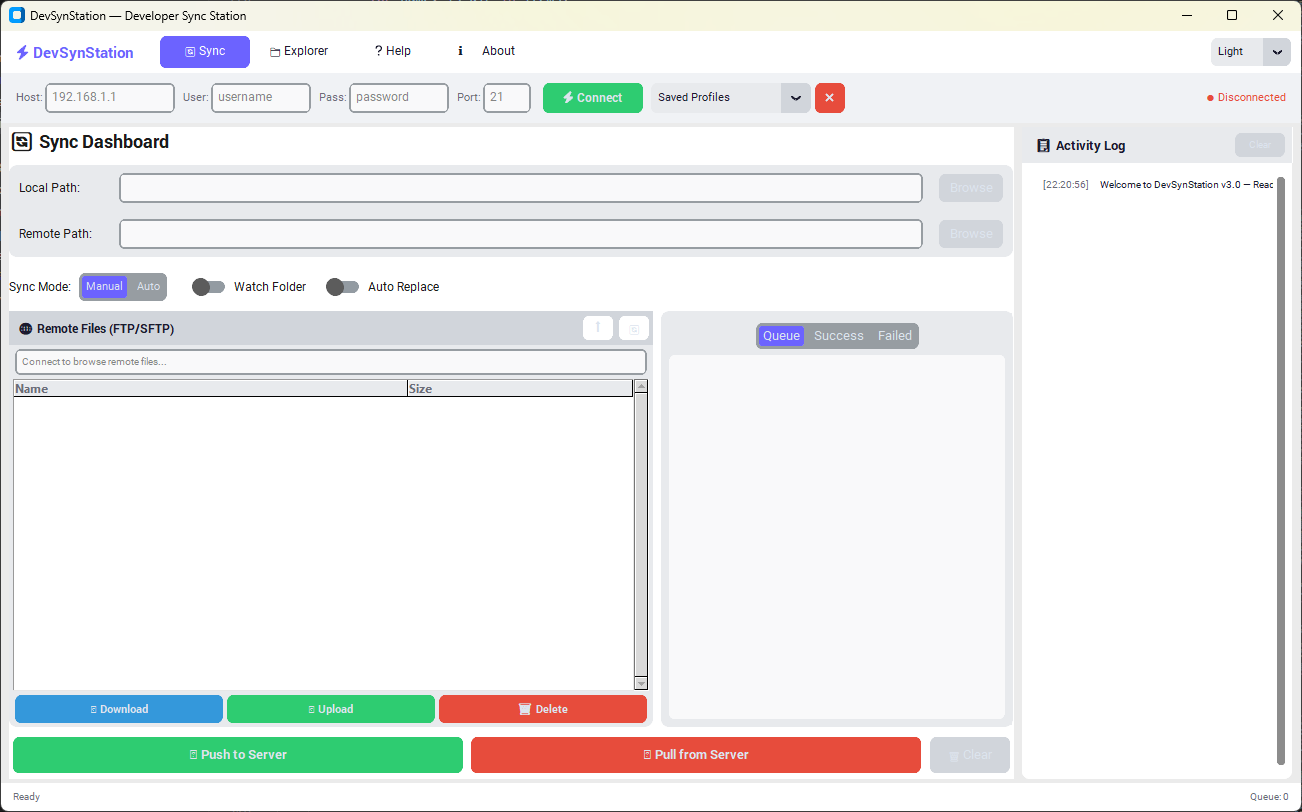
Figure: The Clean, User-Friendly Interface of DevSyncStation on Windows 11.
Eliminate the Manual Grind of File Uploads
For web developers and server administrators, the workflow "bottleneck" isn't writing the code—it is deploying it. The traditional process of saving a file, opening an FTP client (like FileZilla), navigating to the correct folder, and manually dragging files over is slow. It breaks your concentration and introduces the risk of human error.
DevSyncStation changes this dynamic completely. Designed by ShawonWeb, this specialized utility tool for Windows transforms your local computer into a mirror of your live server. It works silently in the background to ensure that what you see on your screen is exactly what is live on the web, without you needing to lift a finger.
Professional Features for Modern Workflows
1. Real-Time "Watch" Technology
The core engine of DevSyncStation is built to "listen." It monitors your targeted local folder for any changes. Whether you create a new image asset, update a PHP script, or modify a stylesheet, the software detects the change instantly. You do not need to press a "sync" button; the detection is automatic.
2. Ten-Second Sync Cycle
Speed is critical. Once a new or edited file is detected, DevSyncStation initiates a secure FTP connection and uploads the file to your server within 10 seconds. This near-instant update rate means you can save your code, switch to your browser, and refresh the page to see your changes live immediately.
3. Intelligent Overwrite System
The software is smart enough to handle file conflicts. If you are editing an existing file, DevSyncStation recognizes that the file executes on the server and automatically updates it with the fresh version. This creates a seamless bridge between your local development environment and your production environment.
4. Hybrid Control: Auto or Manual
While automation is the main benefit, sometimes you need granular control. DevSyncStation includes a fully functional built-in FTP File Explorer. This allows you to browse your server files, delete old data, or move folders manually, giving you the best of both worlds—automation when you want it, and manual control when you need it.
Built for Stability on Windows
We engineered DevSyncStation using Python to ensure it remains lightweight on your system resources while maintaining a robust connection to your server. It does not bloat your computer or slow down your other development tools.
The software has been rigorously tested and optimized for the modern Windows ecosystem, providing native support and flawless performance on:
- Windows 10 (All Editions)
- Windows 11 (Recommended for best UI experience)
Start Automating Your Workflow Today
DevSyncStation is a tool built by developers, for developers. We believe in empowering the community, which is why full access to this tool is completely free.
Download DevSyncStation (Free)Official Software Release
Built by Shawon Web
DevSyncStation is an internal tool developed by ShawonWeb.com to solve real-world latency in developer workflows. We build the tools we use ourselves.